Rate ten films and MovieShare ranks what you haven't seen yet, on your phone. Pick who's watching and it finds films unseen by you and your friends. When one looks right for a friend, send it.
TONIGHTUnseen by you and your friends.RANKED ON YOUR PHONE
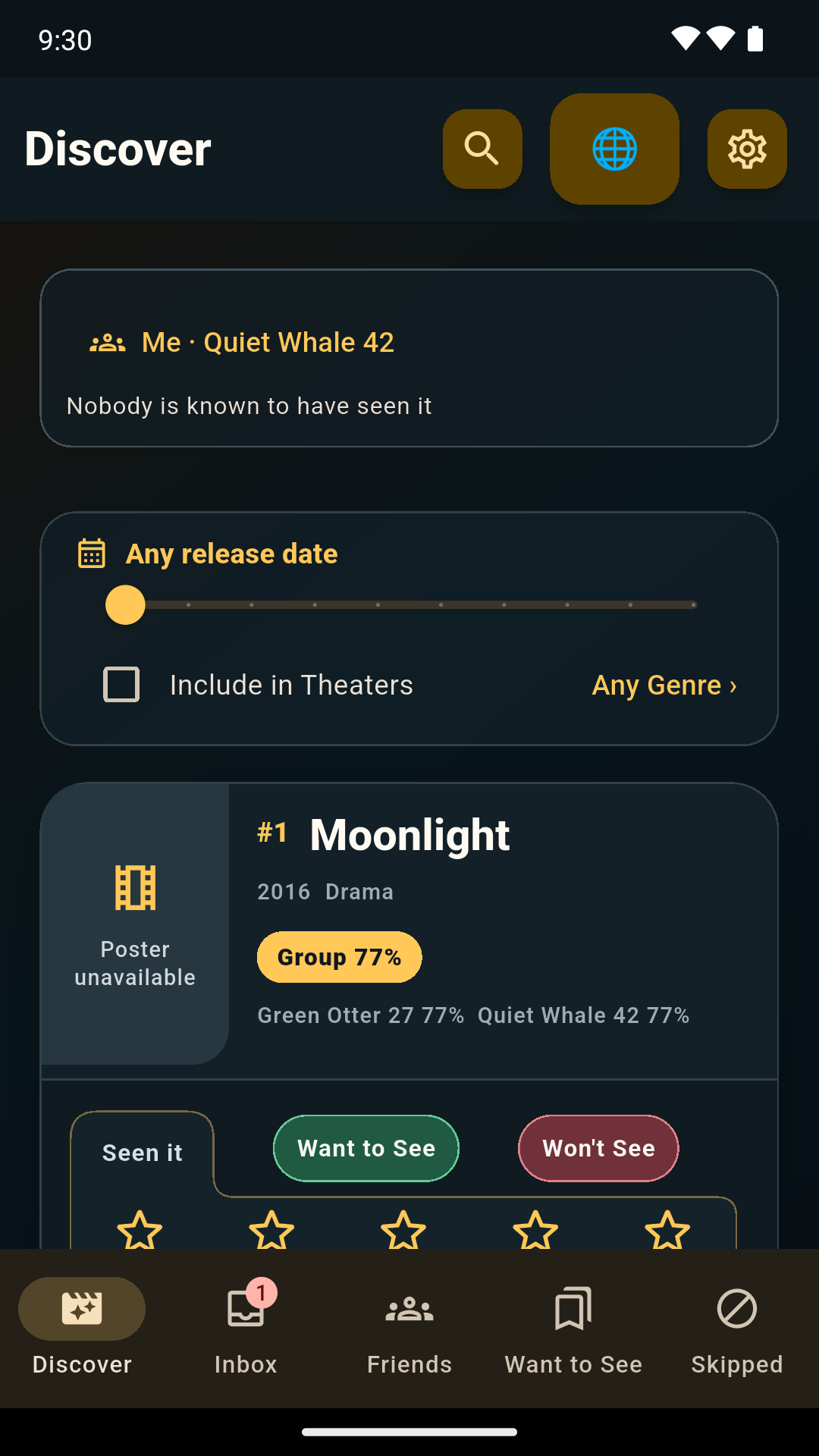
Discover · you and a friend
10ratings to start
100%ranked on your phone
0accounts
Up to 20connected friends
For you
Skip what you've already seen.
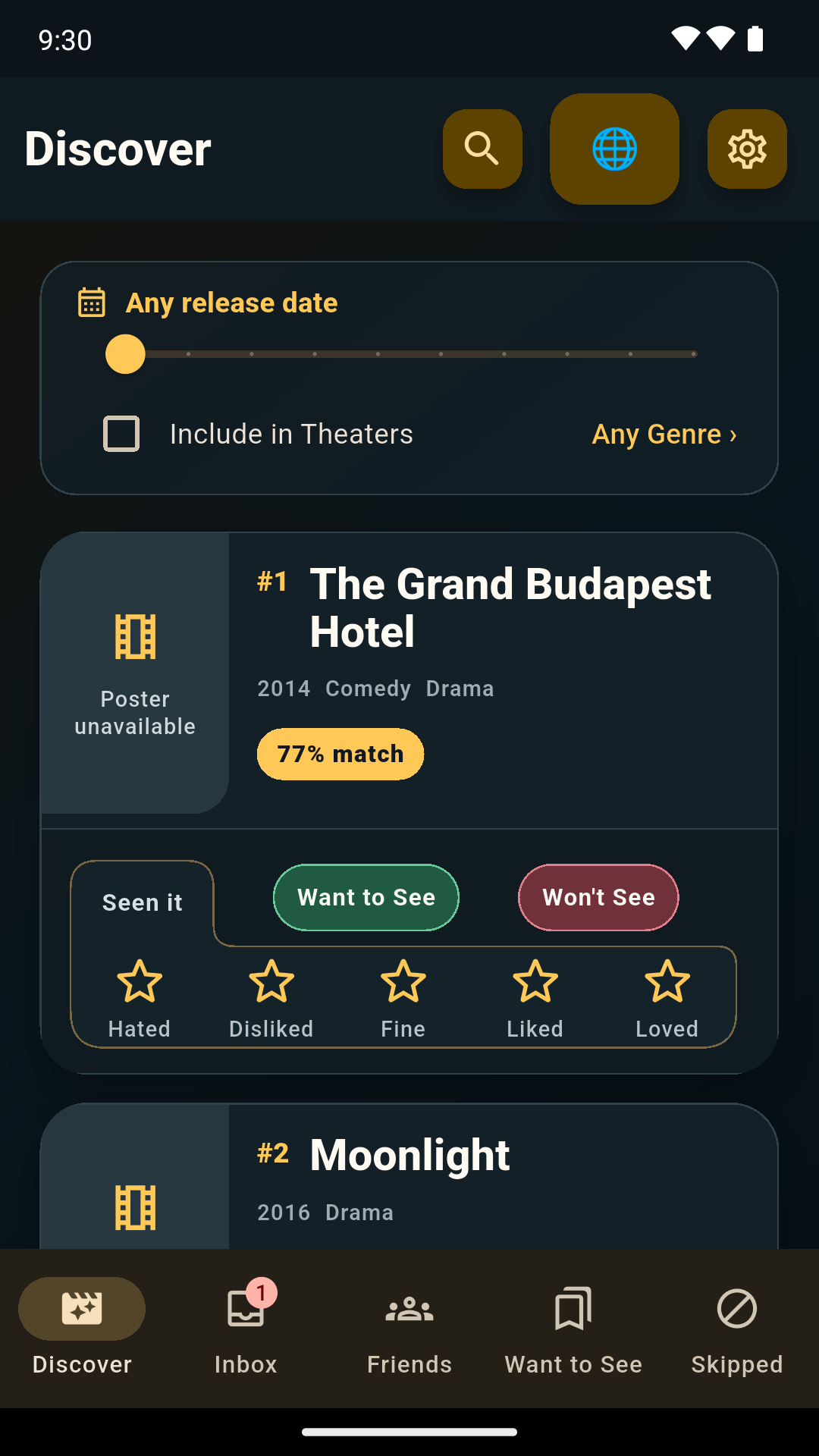
Ten actual ratings unlock personal movie picks. "Haven't seen it" never counts as a rating. Your phone learns from your Ratings and ranks the movies you haven't rated or marked seen.
Discover brings the ranked list together. Include in Theaters starts off; turn it on to add theater picks. Genre and release date apply to the whole list. Keep favorites in Want to See and manage Already Seen or Won't See in Skipped.
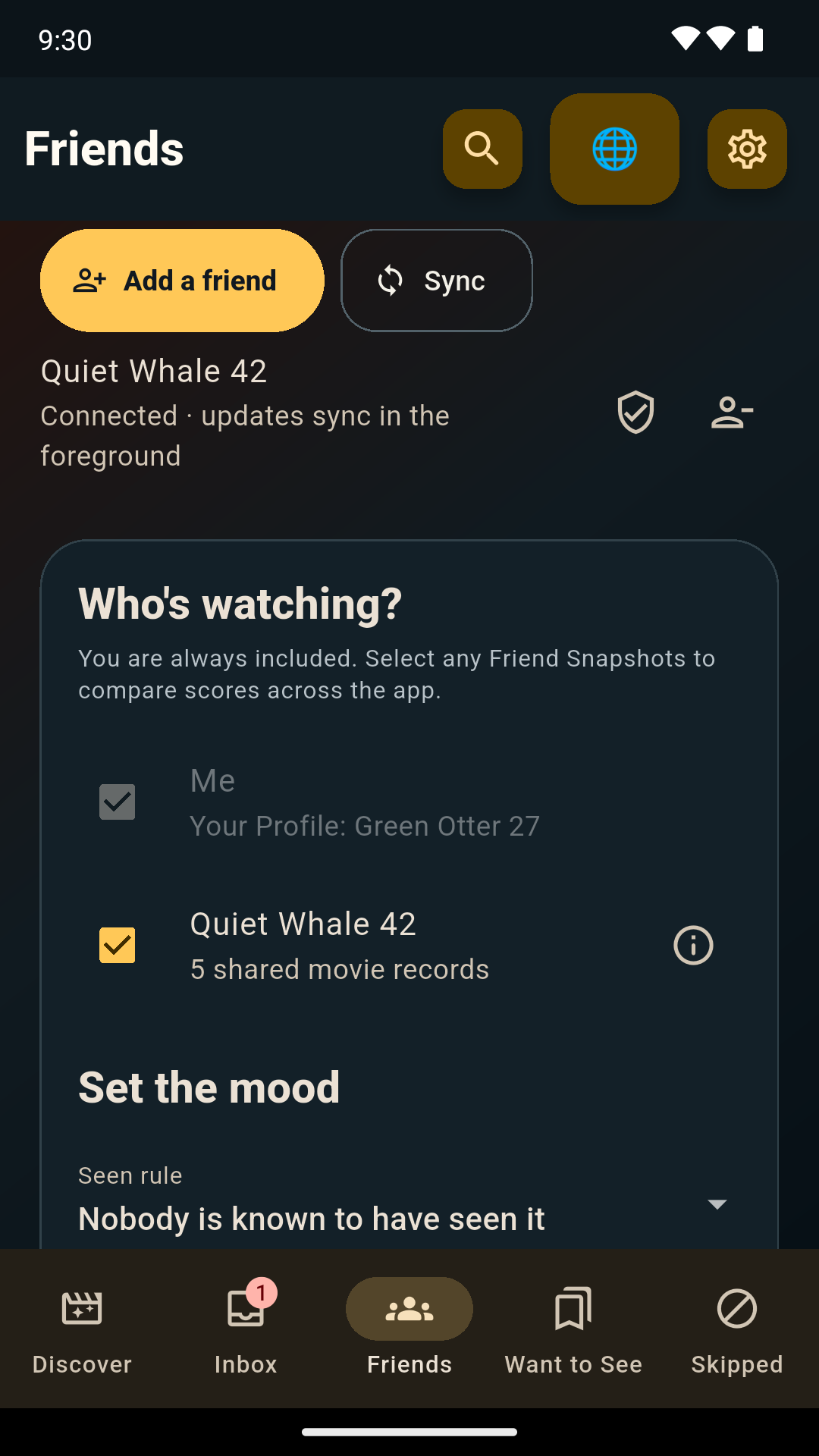
Connect your friends, then tick the ones watching under Who's watching? in Friends. Discover skips anything you or they have rated or marked as seen, and ranks the rest by your Group Score, calculated on your phone from their latest Friend Snapshots. The Group Score favors a film everyone likes over one person's favorite.
Connecting does not select a friend for group matching. Choose who is watching in Friends when you want a Group Score.
Who's watching?
You are always included. Pick the friends watching with you.
For your friends, in the Android testing build
Found one for a friend? Send it.
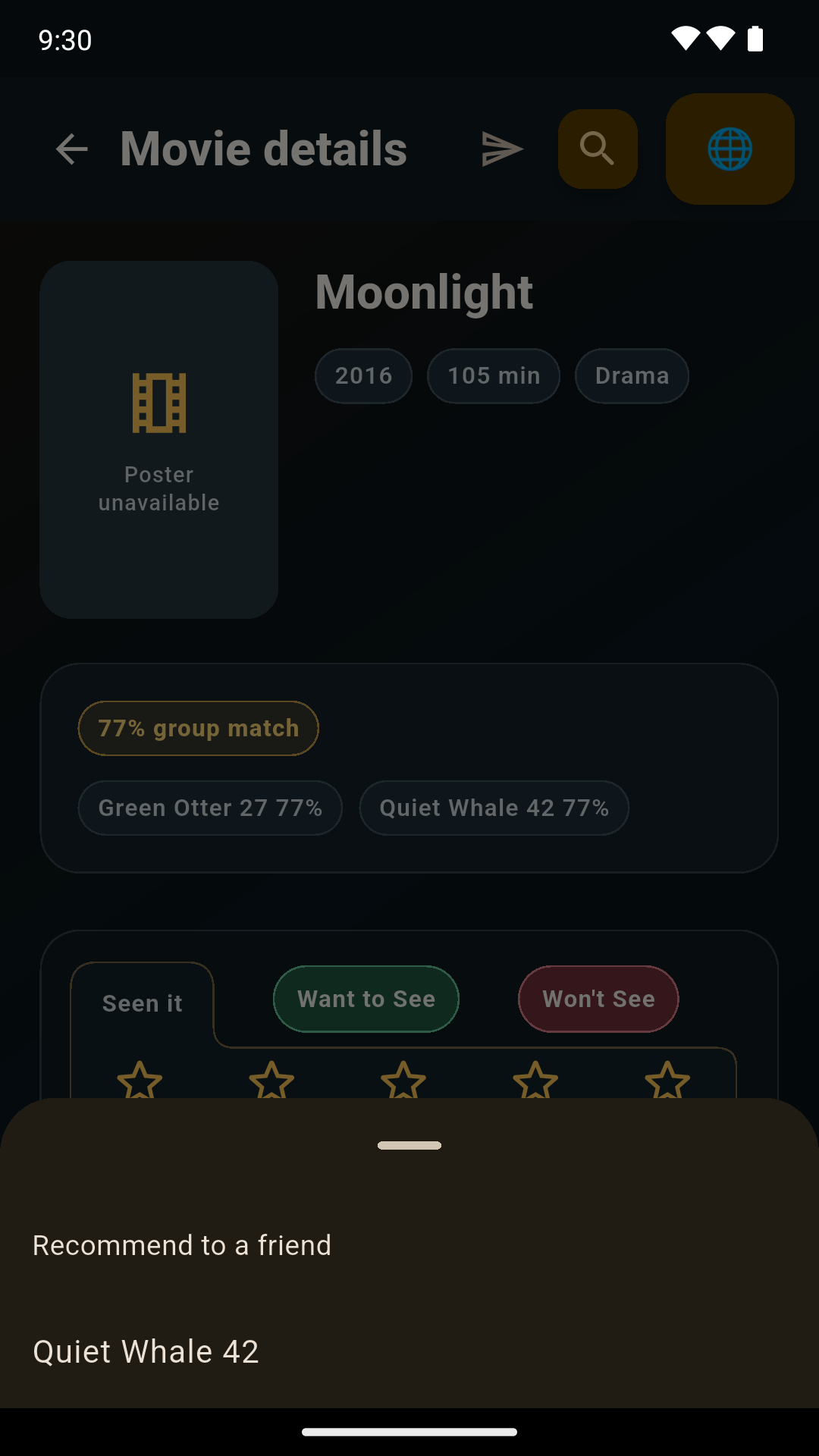
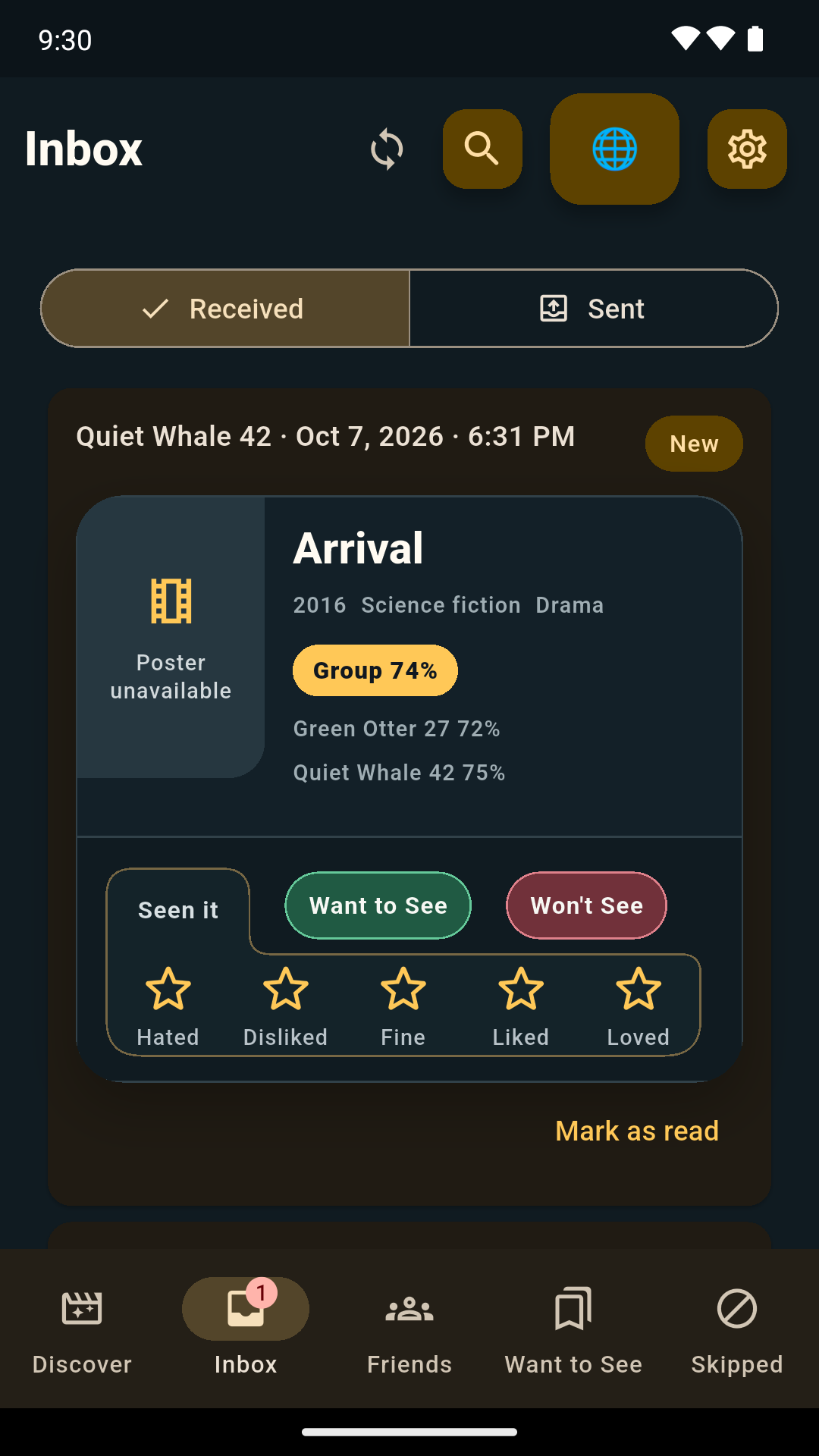
In Movie Details, choose Recommend to a friend and pick a connected friend. The movie lands in their Received list and your Sent list. They can rate it, save it to Want to See or choose Won't See from the same movie card. To connect, open Friends, tap Add a friend and share an invitation QR or link. Creating it is your consent, and your friend's acceptance connects you.
Open any movie, tap the send icon and pick a connected friend.
In their Inbox
Received puts unread suggestions first. Mark as read moves a suggestion below unread ones. It stays visible, ready to rate or save. Your friend gets no read receipt.
One film sent to one connected friend. No text messages or sender-visible read receipts. Connecting and sending need the internet. How private sharing works.
Friends, together or apart
Friends manages connections and optional group matching. Inbox is a primary destination for movies you deliberately send and receive. A connection works in both directions and syncs when you open the app or tap Sync. Your phone encrypts shared records for your friend's phone. Current encrypted delivery copies pass through MovieShare's servers for about seven days. The servers cannot read the records; connection and delivery metadata have separate retention limits. Connecting and syncing need the internet; saved Friend Snapshots keep working offline. Read what the servers can and cannot see.
The honest privacy line
Your taste stays on your phone unless you share it.
LOCAL
Ratings and relationships
Your records and ranking stay on your phone. Records you share with a connected friend leave it encrypted for that friend's phone. MovieShare's servers deliver them without the keys to read them, but they do see delivery metadata such as IP addresses and timing.
NETWORK
Public movie lookups
A random Install ID, region, language, and requested public movie data travel through the catalog service.
YOUR CHOICE
Optional AI Export, in internal testing
Send to your AI Chat in Settings lets you choose which movie records to send, optionally add friends who agree under labels such as Friend 1, read a privacy warning, then Copy or Share with an app you choose. It is a manual step, like taking a screenshot; MovieShare never sends it by itself. The receiving app may upload or retain them under its own policies. MovieShare does not control its privacy practices or where your data goes. Read the AI Export privacy details and see the latest testing changes.
ANDROID01 02closed test
Android closed beta
Bring your taste. Bring a friend.
Join the tester group now. Google Play will unlock the first Android build when it approves the closed release. Check the release journal for what each testing build includes; new testing features may not be available in your current build.
01
Join the tester group
Open Google Groups with the Google account you use on your Android phone, then choose "Join group."